Local-first
Nothing is sent to a third-party server. Local operations stay at the centre of the tool.
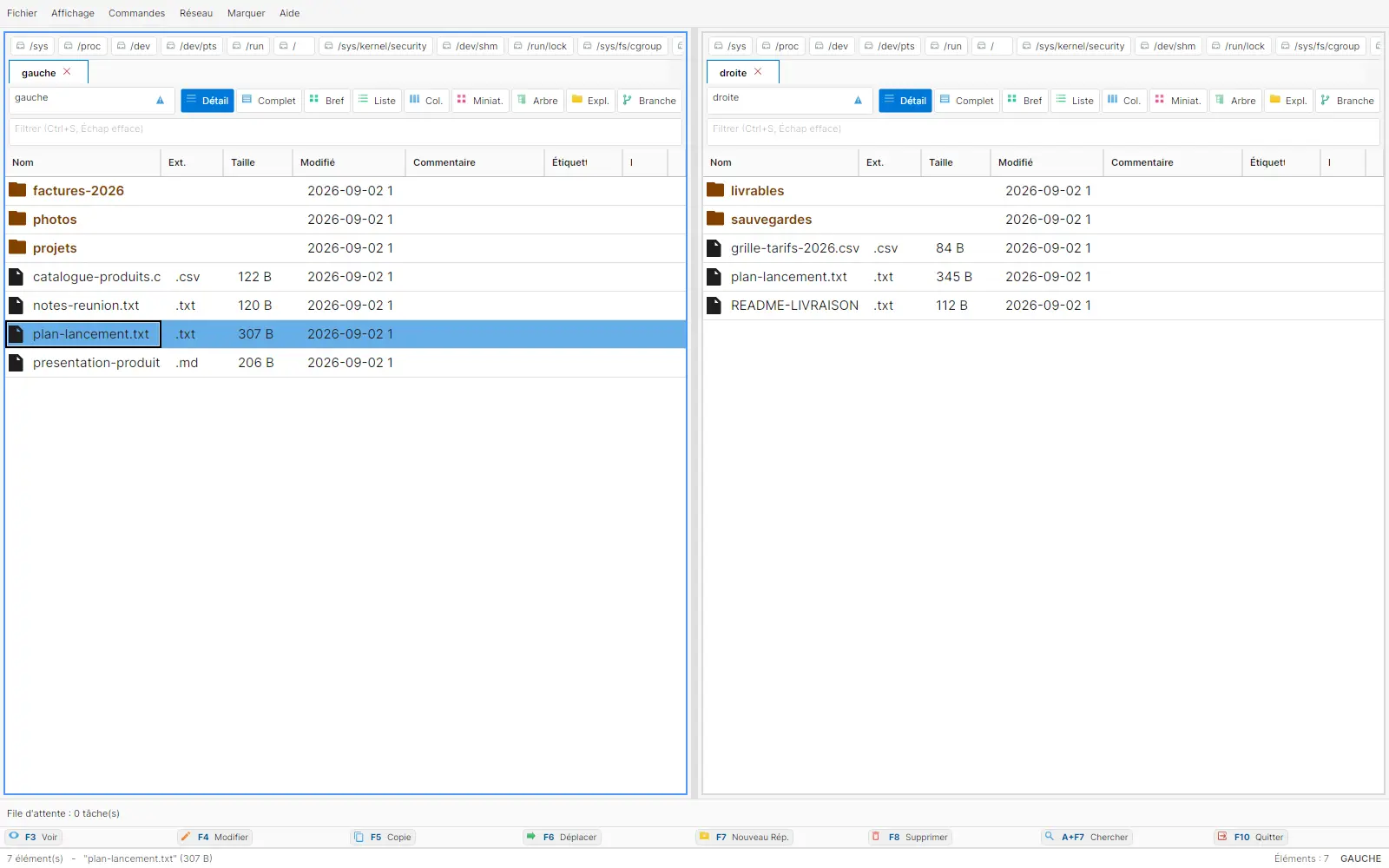
Copy, compare, archive, connect to a server: NexusFile brings everyday file operations into a single dual-pane window, driven from the keyboard, with the logic Total Commander users already know by heart.
The screens shown are real product screenshots. Visible data is demonstration fixture data.
Status
Technical beta
Verification
12,142 tests passing · 0 failures
Platforms
Windows · macOS · Linux
Licence
MIT core · Pro edition in preparation
Two panes, tabs per pane, drive bar, breadcrumb trail, and a quick filter keep source and destination in view.
F-keys, Alt+F5/F6/F7, and Ctrl+… are targeted so file-management muscle memory comes back. Full parity still needs acceptance testing.
A non-blocking queue shows progress, throughput, pause, resume, and cancel. A copy or move can be undone or redone.
Skip, overwrite, rename, keep both, or apply to all: the resolution is chosen instead of being imposed.
Archives, FTP, SFTP, WebDAV, SMB, Tailscale shares, and S3 appear in the interface. Remote protocols are not covered by the current audit.
Quick view (Ctrl+Q), search (Alt+F7), and NexusDiff cover content, history, and file or folder comparison.
Every screen below comes from a real run. Visible limitations are left in the presentation.
NexusDiff shows items added on each side and the selected conflict. Folder comparison is built into the manager.
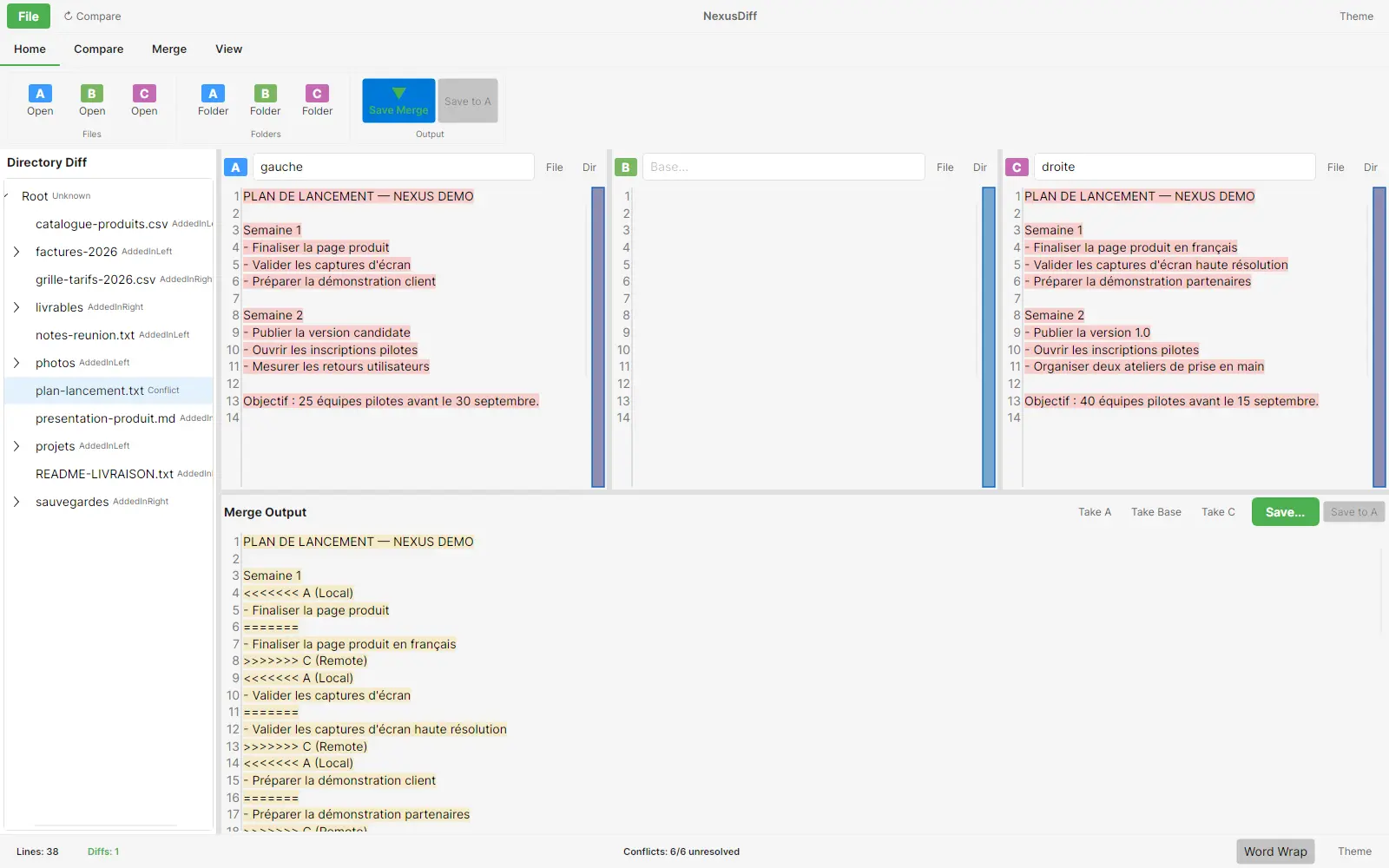
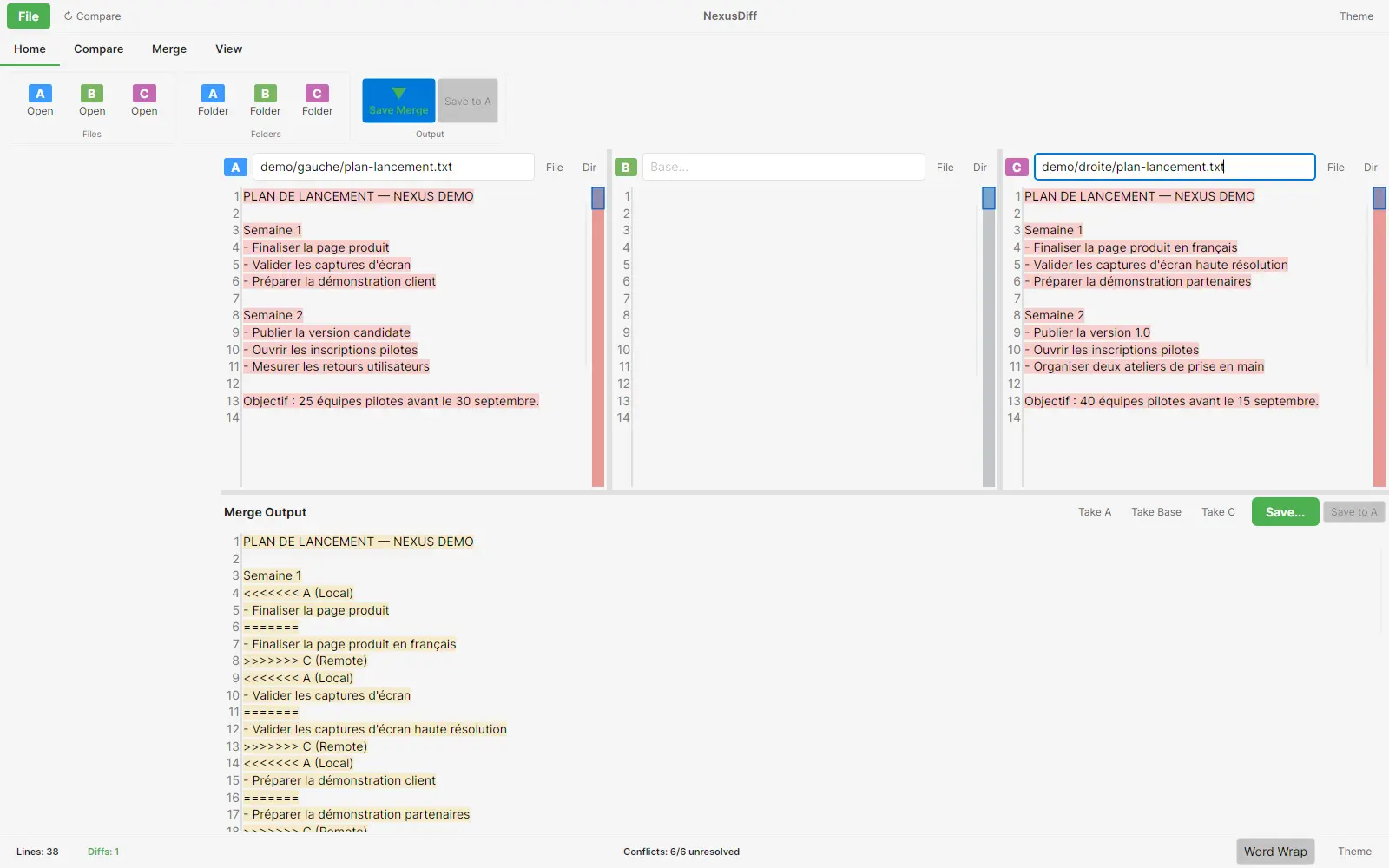
Line numbers, highlighted diffs, and merge output make the comparison work visible on two versions of a document.
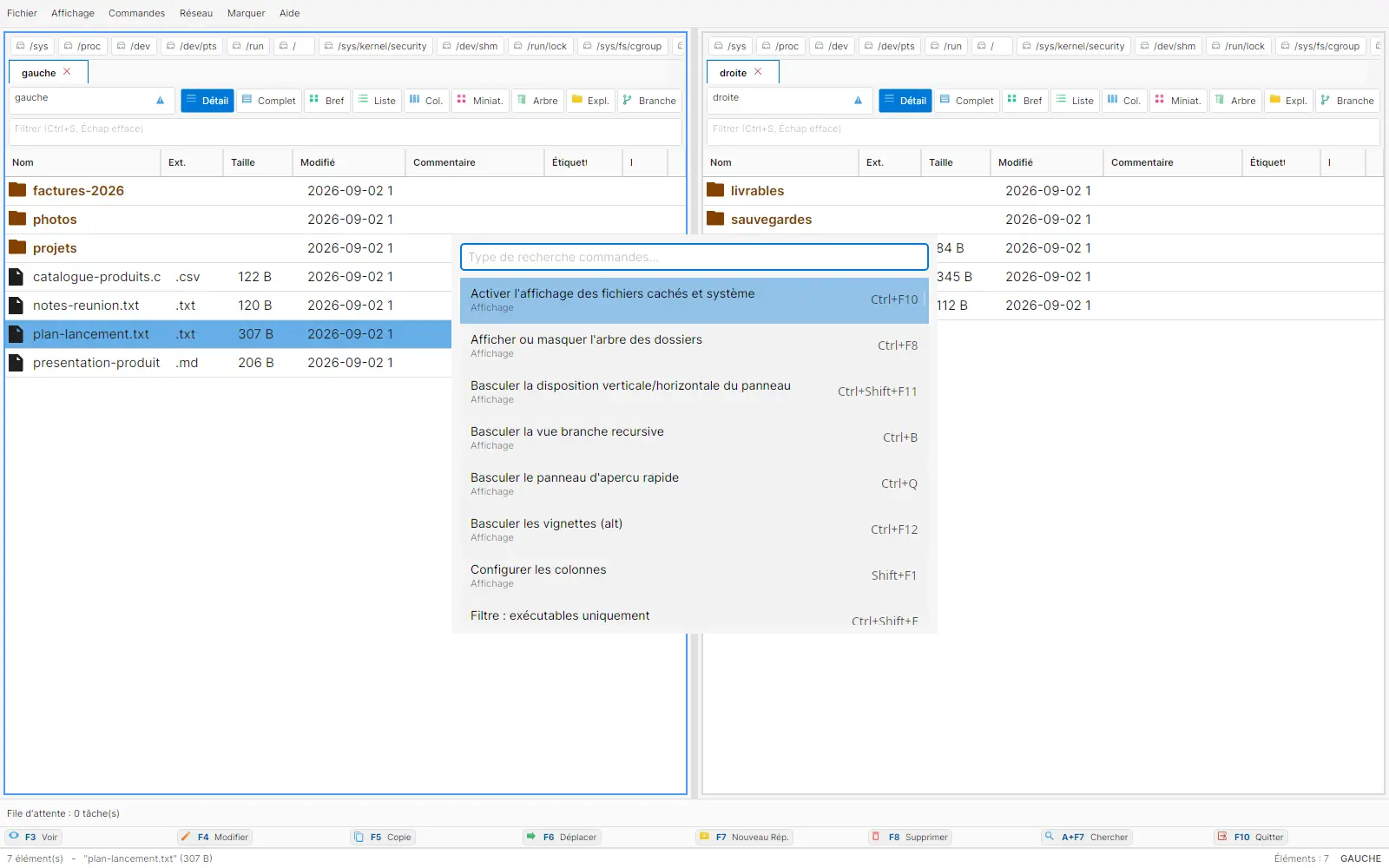
The command palette gathers search, categories, and keyboard shortcuts without hiding the working window.
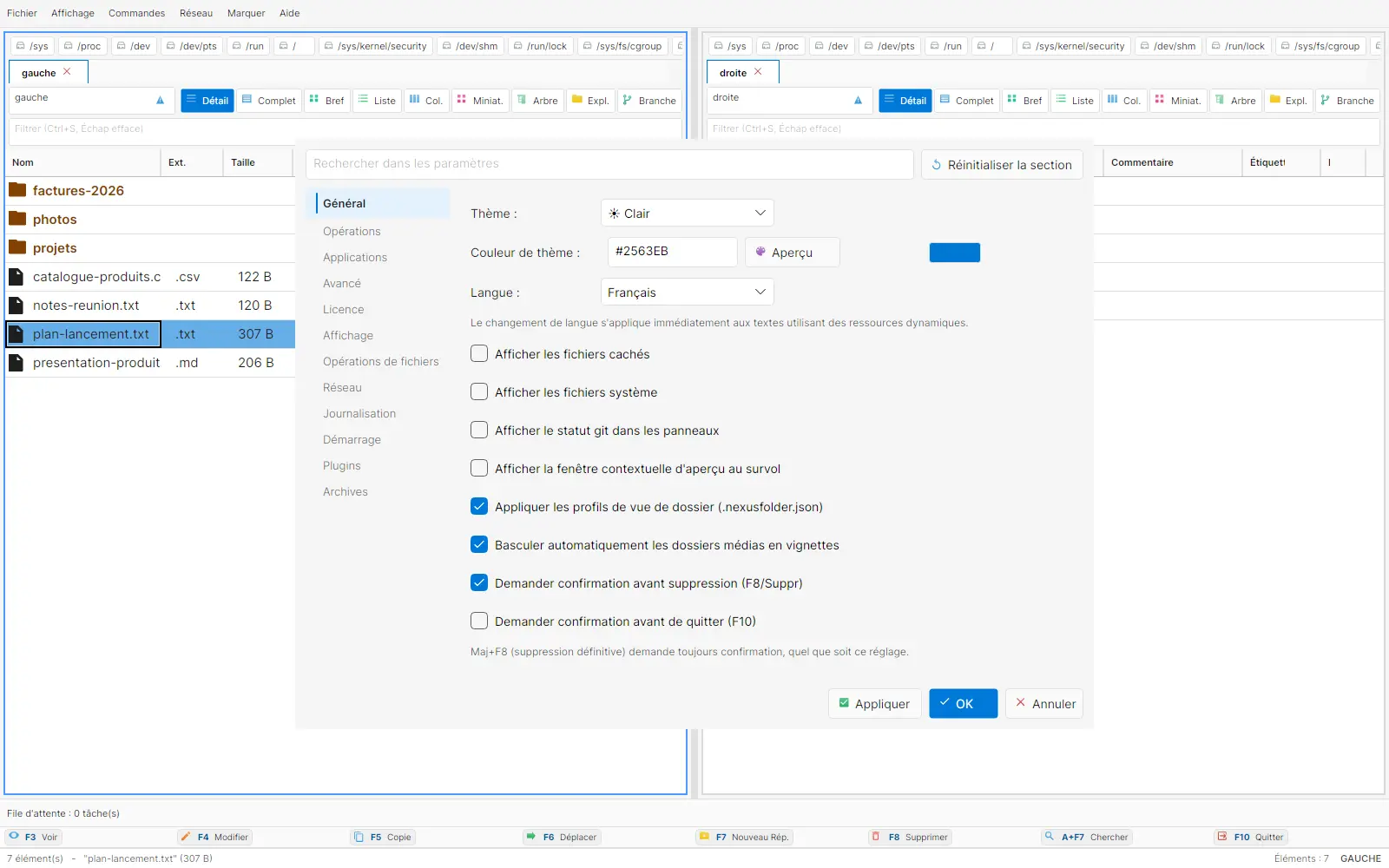
Settings expose theme, colour, language, and general options. The interface stays configurable without adding a third-party service.
Nothing is sent to a third-party server. Local operations stay at the centre of the tool.
No irreversible action without confirmation, using the trash when it exists.
The core is MIT-licensed. The Pro edition is in preparation, with no mandatory monthly fee announced.
NexusFile has a cross-platform Release build. 12,142 automated tests pass, with no failures, on net8 and net10.
Agile Up · Software publishing
A question about NexusFile or its current scope?